Usage
Use the app layout when a route owns an application shell.
Its navigation-enabled form emits one public .sidebar region
beside one independent page region. The Sidebar component
owns only the inner navigation surface and its anatomy; App owns the
outer shell, side placement, visual variant, and collapse mode. The Page
layout owns semantic header, main, and footer regions.
Call sidebar() for the inner surface. Do not pass App shell
options such as side, variant,
collapsible, or id to that component; those
belong to app().
Compose the sidebar from public component contracts: Button for triggers,
Dropdown Menu for row actions, Collapse for nested groups, Tooltip for
collapsed labels, Badge for counters, Separator for section rhythm, and
Skeleton for loading rows. Keep navigation links semantic and do not hide
required routes behind hover-only behavior.
Bootstrap owns Offcanvas, Collapse, Dropdown, and Tooltip behavior. The
optional Moo UI Sidebar ESM should coordinate only the responsive shell
state Bootstrap does not provide, such as collapsed desktop width,
mobile offcanvas state, and persisted user preference.
1
2
3
4
5
6
7
8<div class="card h-100">
  <div class="card-header">
    <div class="card-header__text">
      <h3 class="card-title">Application shell preview</h3>
    </div>
  </div>
  <div class="card-body">The complete Sidebar and Page composition is shown in the standalone preview.</div>
</div>
Composition
Sidebar parts compose public component contracts. Actions use Button and
Dropdown Menu markup, metadata uses Badge, form fields use Input,
separators use Separator, and loading rows use Skeleton.
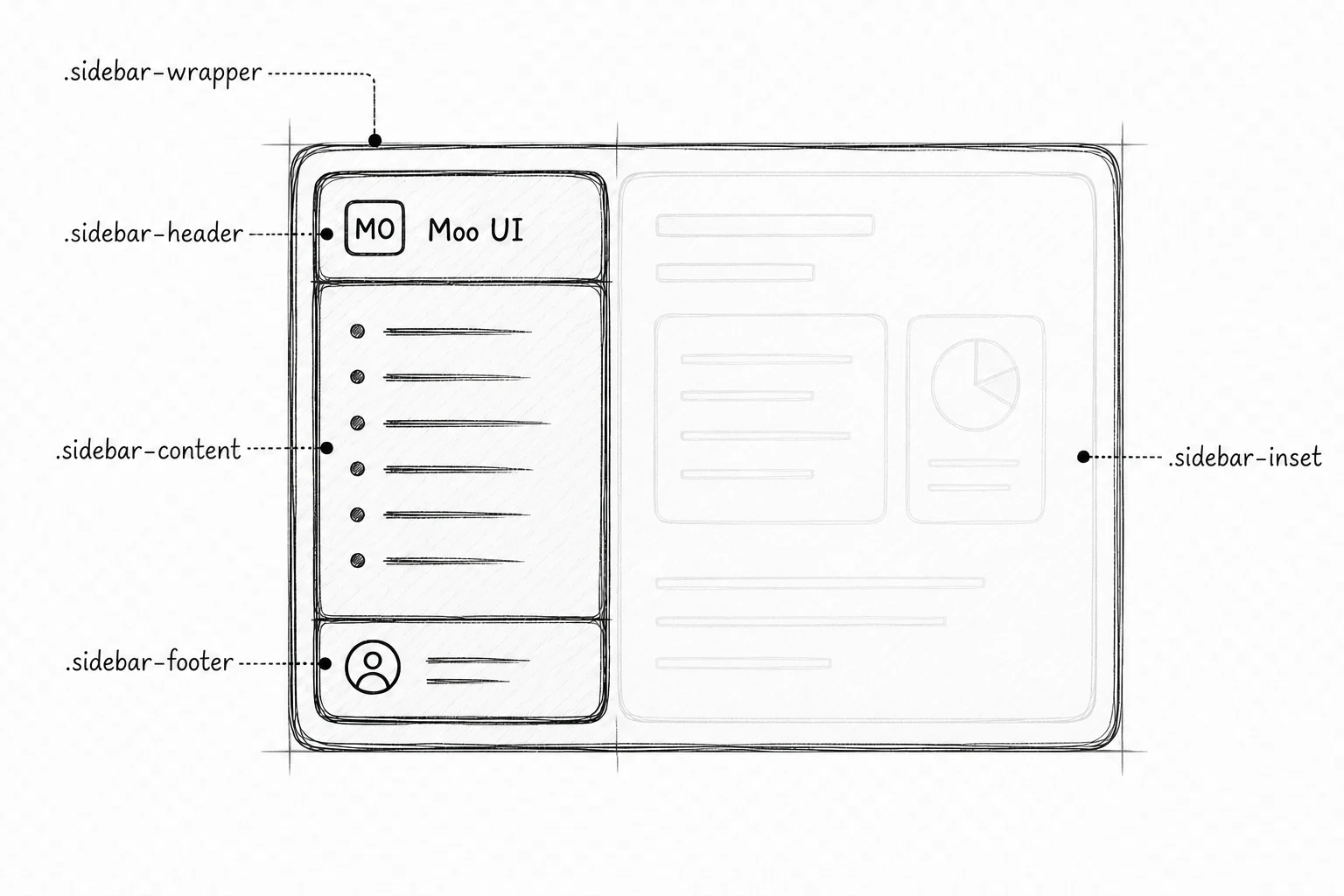
These are the public HTML hooks that applications can inspect or target.
They describe rendered markup, not the repository's internal Jinja build
helpers.
Bootstrap owns Dropdown, Collapse, Offcanvas, and Tooltip. Moo UI's
optional Sidebar module coordinates the shell state Bootstrap does not
provide: desktop collapse and persistence, the rail and keyboard shortcut,
collapsed flyouts, RTL placement, and responsive tooltip ownership.
Importing the module never scans the document. Initialize only a
[data-slot="sidebar-wrapper"] root emitted by app; repeated
initialization returns the same instance, and dispose()
releases listeners, generated flyouts, positioning, tooltips, and the
mobile Offcanvas instance owned by Sidebar.
Some design references call this state helper useSidebar.
In Moo UI it is not a React hook. It is the rendered
data-sidebar-state attribute plus the public Sidebar
instance that updates it.